
The background image is pulled from the featured image of the page or a manually defined ACF field, and it's styled using background-attachment: fixed with responsive adjustments. Content inside the hero remains accessible and readable with layering support like gradient overlays or dark filters. Watch Video: Page Hero
IAC Projects
Lorem ipsum dolor sit amet, consectetur adipiscing elit, sed do eiusmod tempor, Lorem ipsum dolor sit amet, consectetur adipiscing elit, sed do eiusmod tempor. Lorem ipsum dolor sit amet, consectetur adipiscing elit, sed do eiusmod tempor Lorem ipsum dolor sit amet, consectetur.
Large Text w/Image Toggle
This block features a bold, oversized headline paired with a responsive image and a toggleable text area. The layout adjusts on mobile, stacking the image and text vertically. Watch Video: Large Text w/Image Toggle
Large Text (Right Toggled)

Header Title
Description Copy – Lorem ipsum dolor sit amet, consectetur adipiscing elit, sed do eiusmod tempor incididunt ut labore et dolore magna aliqua. Lorem ipsum dolor sit amet, consectetur adipiscing elit, sed do eiusmod tempor incididunt ut labore et dolore magna aliqua.
Large Text (Left Toggled)

Header Title
Description Copy – Lorem ipsum dolor sit amet, consectetur adipiscing elit, sed do eiusmod tempor incididunt ut labore et dolore magna aliqua. Lorem ipsum dolor sit amet, consectetur adipiscing elit, sed do eiusmod tempor incididunt ut labore et dolore magna aliqua.
Accordion Block
This UI component creates a vertically stacked set of expandable items. Each item includes a clickable title bar that reveals or hides content on interaction. Watch Video: Accordion Block How-To

Accordion Heading
Accordion Paragraph Text – (Section can be toggled) Lorem ipsum dolor sit amet, consectetur adipiscing elit, sed do eiusmod tempor incididunt ut labore et dolore magna aliqua. Lorem ipsum dolor sit amet, consectetur adipiscing elit, sed do eiusmod tempor incididunt ut labore et dolore magna aliqua.
Accordion Title
Content – Lorem ipsum dolor sit amet, consectetur adipiscing elit, sed do eiusmod tempor incididunt ut labore et dolore magna aliqua. Lorem ipsum dolor sit amet, consectetur adipiscing elit, sed do eiusmod tempor incididunt ut labore et dolore magna aliqua.
Content 2 – Lorem ipsum dolor sit amet, consectetur adipiscing elit, sed do eiusmod tempor incididunt ut labore et dolore magna aliqua. Lorem ipsum dolor sit amet, consectetur adipiscing elit, sed do eiusmod tempor incididunt ut labore et dolore magna aliqua.
Content 3 – Lorem ipsum dolor sit amet, consectetur adipiscing elit, sed do eiusmod tempor incididunt ut labore et dolore magna aliqua. Lorem ipsum dolor sit amet, consectetur adipiscing elit, sed do eiusmod tempor incididunt ut labore et dolore magna aliqua.
Content 4 – Lorem ipsum dolor sit amet, consectetur adipiscing elit, sed do eiusmod tempor incididunt ut labore et dolore magna aliqua. Lorem ipsum dolor sit amet, consectetur adipiscing elit, sed do eiusmod tempor incididunt ut labore et dolore magna aliqua.
Video-Image w/Text (MP4/Youtube Options)
This layout places a video (or image fallback) on one side and a text block on the other, using a split-screen design that adjusts for mobile. This component ensures the video scales responsively while maintaining proper aspect ratio and spacing between elements. Watch Video: Video-Image w/Text

Image Option
YouTube Option
MP4 Video Option
Carousel w/Large Heading
This component displays two items per slide in a horizontal carousel format with previous/next navigation arrows. On smaller screens, the carousel adapts to show one item per slide while preserving touch-friendly navigation. This UI does not auto loop. Watch Video: Carousel w/Large Heading
Main Heading

Slide Heading
Slide Paragraph 1 – (Section can be toggled left or right) Lorem ipsum dolor sit amet, consectetur adipiscing elit, sed do eiusmod tempor incididunt ut labore et dolore magna aliqua.

Slide Heading 2
Slide Paragraph 2 – Lorem ipsum dolor sit amet, consectetur adipiscing elit, sed do eiusmod tempor incididunt ut labore et dolore magna aliqua.
Animated Stat Counter
This section is built to display animated number counters in a grid layout. Each counter includes a numeric value, a short label. It’s typically used to show off stats like “Years in Business” or “Projects Completed” in a more dynamic, interactive way. The layout is fully responsive and the counters animate when they enter the viewport, adding motion to otherwise static metrics. Watch Video: Animated Stat Counter
Half-Full Image w/Text
This layout uses a full-width horizontal section with one side dedicated to an image and the other to a flexible content area. On desktop, the layout remains balanced with clear separation between text and visuals. On mobile, the image and text stack for readability and spacing consistency, ensuring it works well on all screen sizes. Watch Video: Half-Full Image w/Text
Heading
Subheading
Body Content – (Section can be toggled) Lorem ipsum dolor sit amet, consectetur adipiscing elit, sed do eiusmod tempor incididunt ut labore et dolore magna aliqua. Lorem ipsum dolor sit amet, consectetur adipiscing elit, sed do eiusmod tempor incididunt ut labore et dolore magna aliqua.
Heading
Subheading
Body Content – (Section can be toggled) Lorem ipsum dolor sit amet, consectetur adipiscing elit, sed do eiusmod tempor incididunt ut labore et dolore magna aliqua. Lorem ipsum dolor sit amet, consectetur adipiscing elit, sed do eiusmod tempor incididunt ut labore et dolore magna aliqua.
Header w/Image Border
This component displays a section heading alongside a bordered image. The image typically sits either to the left or right of the header text and includes a defined border or frame to make it stand out. The image, text and button cta are pulled form pages the component is assigned to. Watch Video: Header w/Image Border
Our Team
At IAC, our strength lies in our people. Founded in 1987 by Glenn Smith, Jr., who continues to guide the organization as CEO, IAC is a leading full-service EPC contractor and original equipment manufacturer (OEM) with over 250 dedicated employees.

Our Process
Our vertically integrated, multi-dimensional approach sets us apart. By managing every critical aspect in-house—engineering, OEM production, project management, fabrication, construction, automation, parts, and service — we deliver the efficiency of full vertical integration with the flexibility to meet the unique needs of every project.
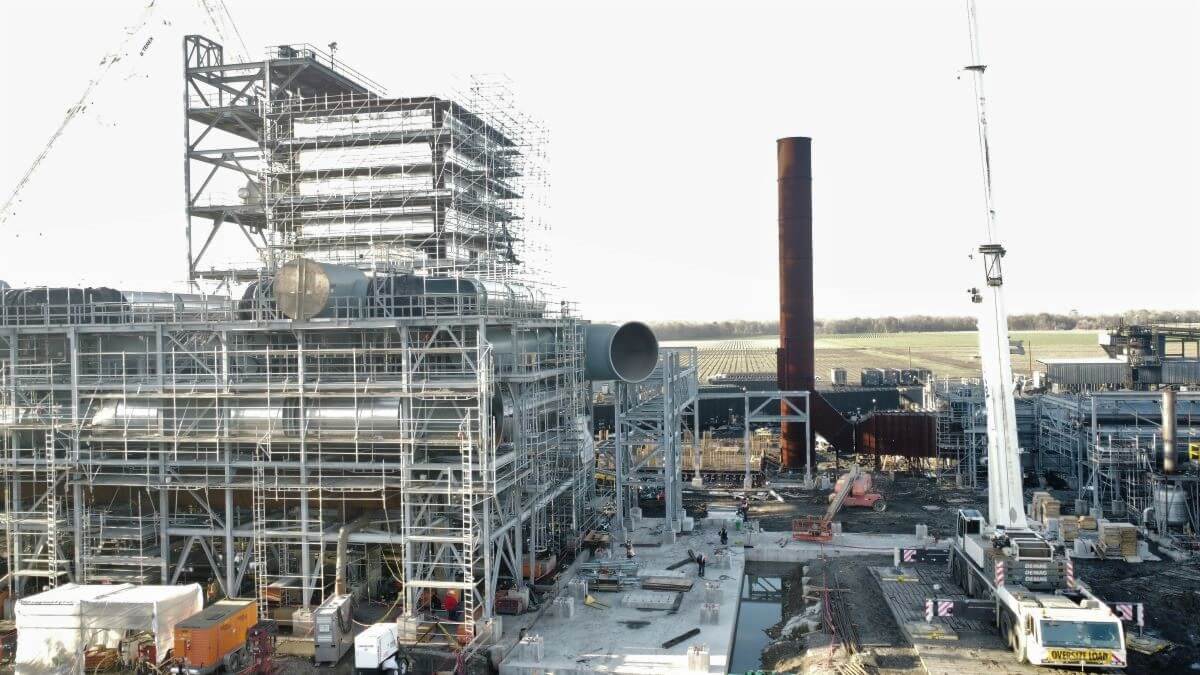
Card Block
This component outputs a grid of cards linked to child pages under a selected parent. It’s dynamically driven — once you choose a top-level page (like Services or Technologies), the block auto-populates with its children, displaying the page title, excerpt, and featured image for each. Each card includes a clickable area and optional styling like hover effects or vertical category labels. Ideal for hub-style navigation where you want to surface grouped content like services, technologies, or parts in a clean, scrollable format — no manual content entry required. Watch Video: Pillar and Blog Cards
High Temperature Baghouses
Reverse-air-baghouses
Wood Dust Collectors
Modular Pulse Jet Baghouses
Baghouse Dust Collector Conversions, Refurbishments, and Rebuilds
High and Low Pressure Pulse Jet Baghouses
Blog Patterns
Patterns Updated: July 30, 2026
Below are four synced, reusable blog layout patterns currently used across the IAC site.
Each pattern includes a visual preview and a label for reference. These templates are available in the WordPress Pattern Library and can be inserted into posts or pages to maintain consistent layout and styling.
See Current Patterns

Template | Accordion
Synced
Template | Tip Of the Month
Synced
Template | List Items
Synced